1.85″ HD Bluetooth Fitness Smartwatch: Calls & Tracking
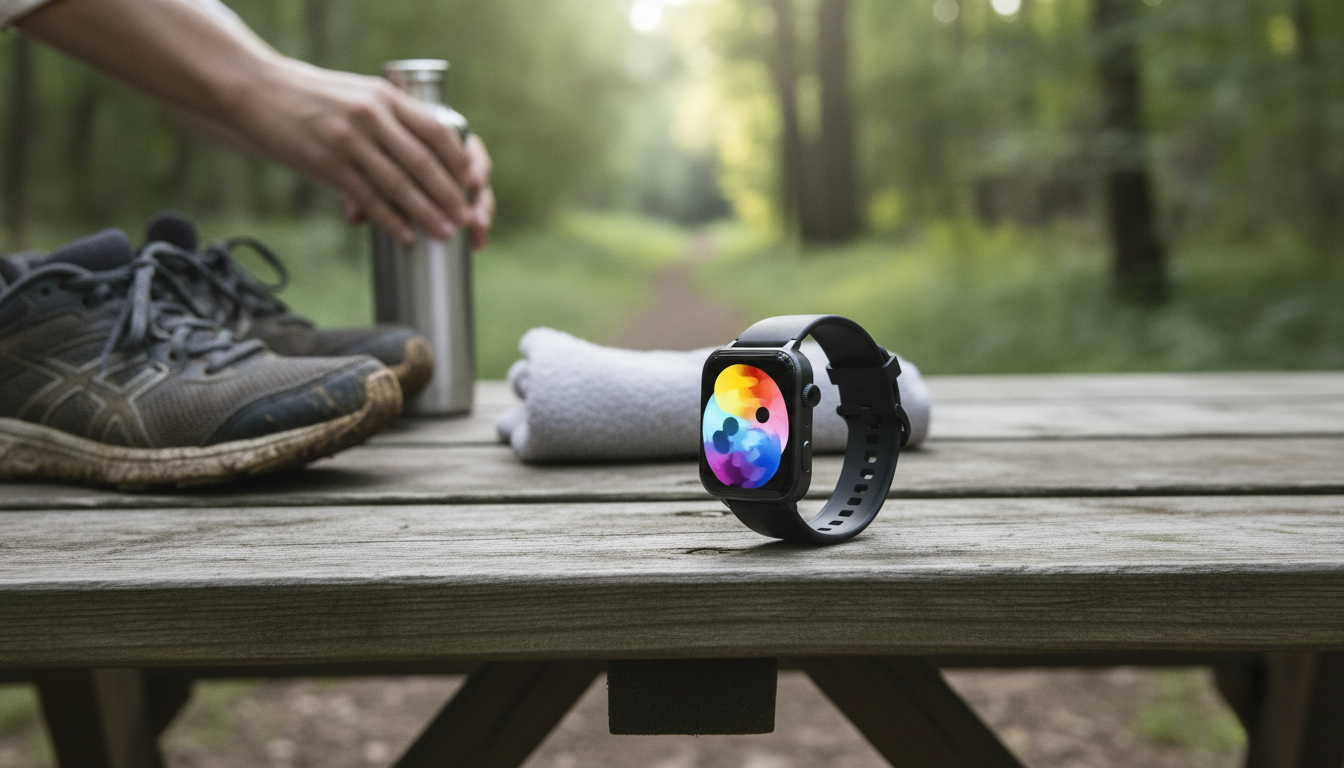
A lightweight fitness smartwatch can make workouts and busy days easier by keeping stats, alerts, and controls right on your wrist. With a larger 1.85″ HD display, you get a clearer view of daily metrics, caller details, and notifications without the tiny-text frustration that comes with smaller screens. Below is a practical guide to what this screen size changes, which tracking features matter most, and how Bluetooth calling and notifications can fit smoothly into real routines.
What a 1.85″ HD display changes in everyday use
A bigger screen doesn’t just look nicer—it reduces friction. When basic actions take fewer taps, it’s easier to stay consistent with activity tracking and to use the watch as a true “glanceable” tool.
More space for the metrics you check most
Steps, heart rate, calories, and workout time are easier to view at once, which means less scrolling during walks, gym sets, or errands. For many people, that single change makes the watch feel more useful throughout the day.
Clearer notifications and caller info
On a 1.85″ display, message previews and caller names are typically easier to read quickly—especially when you’re moving, in bright lighting, or trying to decide whether something needs immediate attention.
Better usability when you’re outdoors
Whether you’re checking a timer, switching music tracks, or glancing at pace and duration, a larger interface can mean fewer mis-taps. That matters most when you’re walking briskly, running, or biking and don’t want to stop to operate your watch.
Comfort considerations: size vs. wrist fit
A larger face can still be comfortable if the band adjusts well and the watch sits securely without sliding. During exercise, the sweet spot is a fit that feels snug (not tight) so the sensor stays stable, especially for heart-rate readings.
Core fitness tracking features to prioritize
Most daily tracking is about building repeatable habits, not “perfect” data. The best features are the ones you’ll actually check and use to guide simple decisions (move more, sleep earlier, recover better).
Steps and active time
Step counts work best as a consistency tool: set a daily goal that’s realistic on busy days, then treat higher totals as a bonus. If you’re new to structured activity, the CDC’s general guidance on weekly movement can help you set a baseline routine (CDC — Physical Activity Basics).
Workout modes you’ll actually repeat
Choose a few modes that match your week—walking, running, cycling, strength training, or interval-style sessions. If the exact workout isn’t listed, pick the closest match so you still get duration and heart-rate context in a consistent format.
Heart-rate tracking: focus on trends
Wrist-based heart-rate is most useful for patterns: how quickly your heart rate rises, how it responds to steady effort, and how recovery looks after you slow down. For general intensity guidance, reference target heart rate zones (American Heart Association — Target Heart Rates), while remembering that fit and motion can affect readings.
Sleep tracking: routine over scores
Sleep features are strongest when they reinforce consistency—bedtime timing, total sleep duration, and whether you’re improving week to week. Instead of chasing perfect “sleep scores,” use the data to spot what helps (less late caffeine, earlier wind-down, steadier schedules).
SpO2 and wellness measurements (if included)
Occasional SpO2 checks can be a helpful reference point, but they shouldn’t be treated as a diagnosis tool. If a number seems unusual, the best next step is to recheck under calm conditions and follow up with a professional if you have concerns.
Bluetooth calling and smart notifications
Smartwatch convenience often comes down to communication: seeing what matters, ignoring what doesn’t, and handling quick tasks without pulling out your phone.
Bluetooth calling for quick, hands-busy moments
Notification filtering keeps the watch helpful
Message previews for triage
Music and camera controls (when available)
Privacy and etiquette
Quick spec snapshot
| Item | Detail |
|---|---|
| Product | Bluetooth Fitness Smartwatch with 1.85″ HD Display |
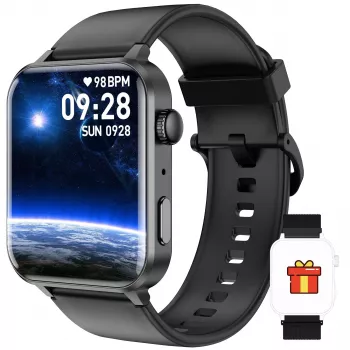
| Display | 1.85″ HD display |
| Connectivity | Bluetooth (notifications and calling features depend on phone compatibility/app) |
| Availability | In stock |
| Price | $29.82 USD |
| Product page | View details |
Comfort, durability, and day-to-day wear
Fit affects sensor stability
Sweat and water exposure
Skin comfort and cleaning
Battery habits that match your schedule
Visibility tweaks
Setup checklist for accurate tracking
Who this smartwatch fits best
Helpful add-ons and related gear
- For cycling stability: Pair ride tracking with reliable pedals like the Ultralight Non-Slip Aluminum Bike Pedals with Sealed Bearings to feel more planted on longer rides.
- For daily carry: Keep essentials organized with the Soft Leather Retro Tote Bag for Women—handy for commutes, gym days, and errands.
- For parenting routines: If your days revolve around schedules and on-the-go packing, the Large-Capacity Multi-Function Diaper Backpack for Everyday Parenting pairs well with wrist notifications and timers.
FAQ
Does a Bluetooth smartwatch work with both Android and iPhone?
Most Bluetooth smartwatches pair with both Android and iPhone, but features like calling, quick replies, and notification behavior can vary by phone model and app permissions. Check the companion app requirements and make sure notification access is enabled on your phone.
How accurate are wrist-based heart-rate readings during workouts?
Accuracy depends on fit, motion, skin contact, and activity type. Wear the watch snugly and use trends over time rather than a single reading; for high-intensity intervals, a chest strap is typically more consistent.
Can the watch be worn in the shower or while swimming?
That depends on the watch’s specific water-resistance rating. If a rating isn’t clearly provided, it’s safest to treat the watch as splash-resistant only and remove it for showers and swimming—especially in hot water or with soap.








Leave a comment