Steam Deck Thumb Grips: Anti-Slip Height-Boost Caps
Anti-Slip Thumb Grips for Steam Deck LCD & OLED: Extra Height, Softer Control
Thumbstick caps can change how a Steam Deck feels in fast movement, fine aiming, and long sessions. Height-boost cushion grips add a slightly taller profile and a textured surface to reduce slipping, while also softening the top of the stick to help keep comfort consistent over time. If the stock sticks feel a little slick after hours of play, or aiming feels “too twitchy” in shooters, a well-fitting pair of anti-slip grips can be a simple, low-cost upgrade that makes handheld control feel steadier. For more guidance, see OLED Thumb Covers PlayVital Thumb Grips For Steam Deck LCD ….
What changes when you add height-boost thumb grips
A height-boost cap alters the way your thumb “reads” the stick. The difference is subtle, but it’s enough to change comfort and precision once muscle memory adapts. For further reading, see expaes.txt.
- Extra leverage for finer control: The small height increase can make micro-adjustments easier because your thumb has slightly more leverage over the stick.
- Anti-slip texture for consistent contact: A grippy top helps keep your thumb planted during fast flicks, long racing turns, or warm-room sessions.
- Softer feel during long play: Cushioning reduces hard pressure points, which can matter during extended handheld gaming.
- Perceived sensitivity shift: Because your thumb travels a bit farther, the stick can feel less twitchy at the same in-game sensitivity.
- Wear protection: Caps help protect original thumbsticks from shine, smoothing, and surface wear.
Fit and compatibility for Steam Deck LCD and OLED
Steam Deck LCD and OLED models use the same general thumbstick cap size, so compatibility mostly comes down to the grip’s inner diameter and how securely it seats. A good cap should sit evenly, feel stable, and allow full range of motion without touching the shell.
- Confirm flush seating: The cap should cover the stick evenly, with no rocking or tilt.
- Check full motion clearance: Push the stick to the edges in every direction to ensure there’s no rubbing.
- LCD vs. OLED consistency: When the cap is sized for Steam Deck, it should work the same on both models.
- Case clearance: If you use a protective case, make sure the stick openings leave space for a slightly taller cap.
Quick compatibility checklist
| Check | What to look for | Why it matters |
|---|---|---|
| Seating | Cap covers the stick evenly with no tilt | Prevents drift-like feel and uneven input |
| Clearance | No rubbing at full tilt in all directions | Avoids restricted movement and wear |
| Grip surface | Texture remains comfortable, not abrasive | Keeps control without irritation |
| Case fit | Cap doesn’t hit the case rim | Stops accidental sticking or scraping |
Comfort and control: who benefits most
Thumb grips are small, but they can be a noticeable quality-of-life change depending on what you play and how you hold the Deck.
- Competitive shooters and aim-heavy games: Added height can make tiny aim corrections feel smoother and more repeatable.
- Racing and action titles: Anti-slip texture helps keep steering and camera control steady during long turns and quick dodges.
- Players who get thumb fatigue: Cushioning can reduce pressure on the thumb pad, especially when gripping tighter during intense moments.
- Travel and handheld-only play: Better traction can help when playing in warm, humid environments where hands get slick.
- Anyone protecting their device: A cap acts as a sacrificial wear layer over the original thumbstick top.
How to install and remove without damaging the sticks
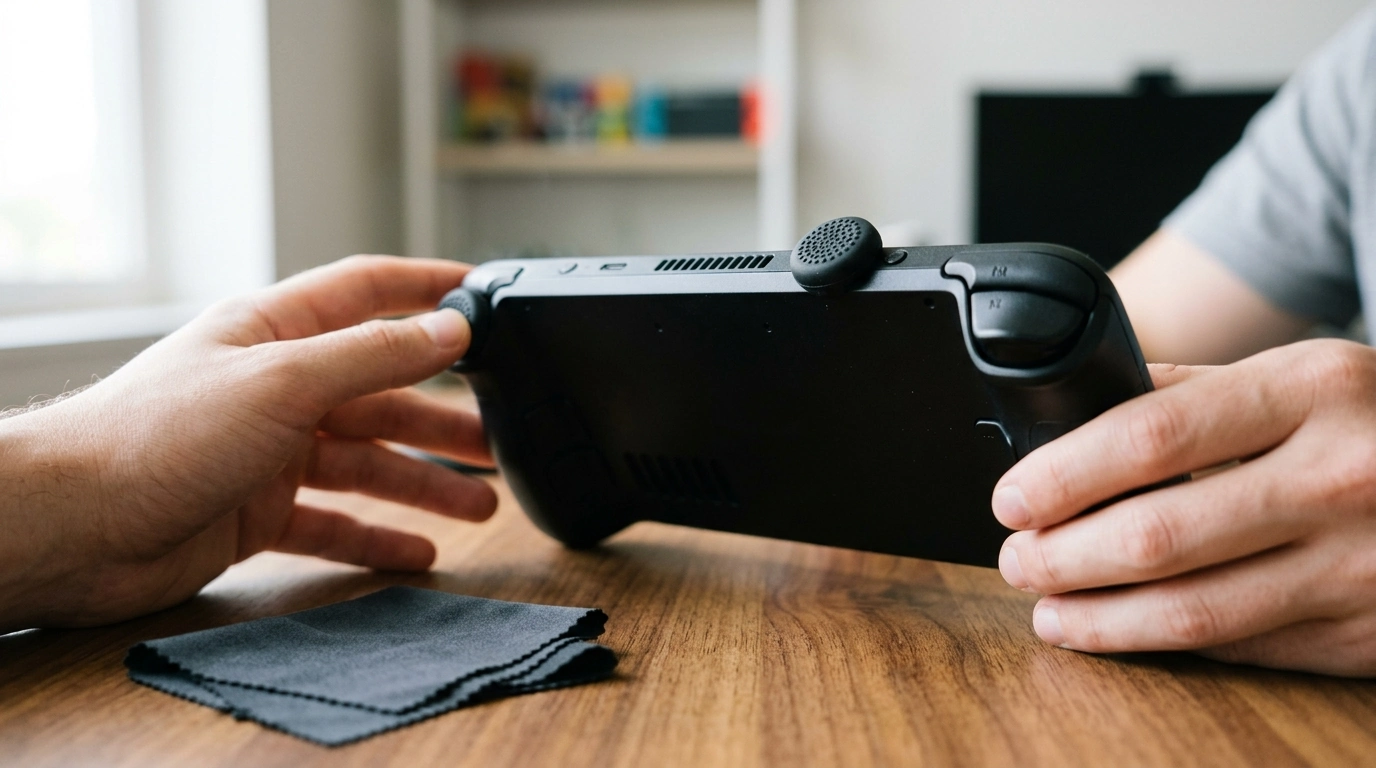
Installation is quick, but doing it carefully helps prevent a loose fit and avoids stressing the stick mechanism.
- Clean first: Wipe the thumbsticks with a slightly damp microfiber cloth, then let them dry completely.
- Press straight down: Align the cap and press from the center. Avoid pulling the stick sideways while fitting the grip.
- Seat the inner lip: Gently rotate the cap to confirm the inner edge is fully wrapped around the stick.
- Test range of motion: Before launching a game, push the stick fully up, down, left, and right to ensure nothing rubs.
- Remove slowly and supported: Lift from one edge little by little while supporting the stick, rather than yanking the cap off.
- Skip adhesives: If it feels loose, remove it, clean away skin oils, and reseat for a better grip.
Expected feel changes and quick tuning tips
Because height-boost caps can subtly change leverage and travel, a short adjustment period is normal. A few small tweaks can speed up the transition.
Care and longevity
Recommended in-stock upgrades
- Anti-Slip Thumb Grips for Steam Deck LCD & OLED – Height-Boost Cushion Caps ($9.97)
- Ultralight Non-Slip Aluminum Bike Pedals with Sealed Bearings ($39.82)
A simple upgrade for a steadier handheld grip
For additional official and repair-oriented references, visit Steam Deck Support (official) and the Steam Deck hardware page on iFixit.
FAQ
Will thumb grips affect stick drift on the Steam Deck?
Thumb grips don’t fix drift caused by internal sensors. However, a poorly fitting cap can feel like drift if it rubs the shell or sits unevenly, so reseat it and confirm full clearance at the edges.
Do these grips fit both Steam Deck LCD and OLED models?
They fit both models when the grips are sized for Steam Deck thumbsticks and sit flush without rocking. Always test full stick movement, and if you use a case, make sure the opening around the stick has enough clearance.
Can a height-boost cap make aiming easier?
It can, because added height increases leverage and slightly lengthens thumb travel, which may improve micro-adjustments. If aiming feels slower at first, a small sensitivity tweak and a brief adjustment period usually helps.









Leave a comment